
Publication and extensions / Plugin management
Add the tools your conference needs.
A committee that needs certificates may not need a new theme or a different payment workflow. Use Plugin Management to see what is already installed, find extensions and enable the one that solves the task.
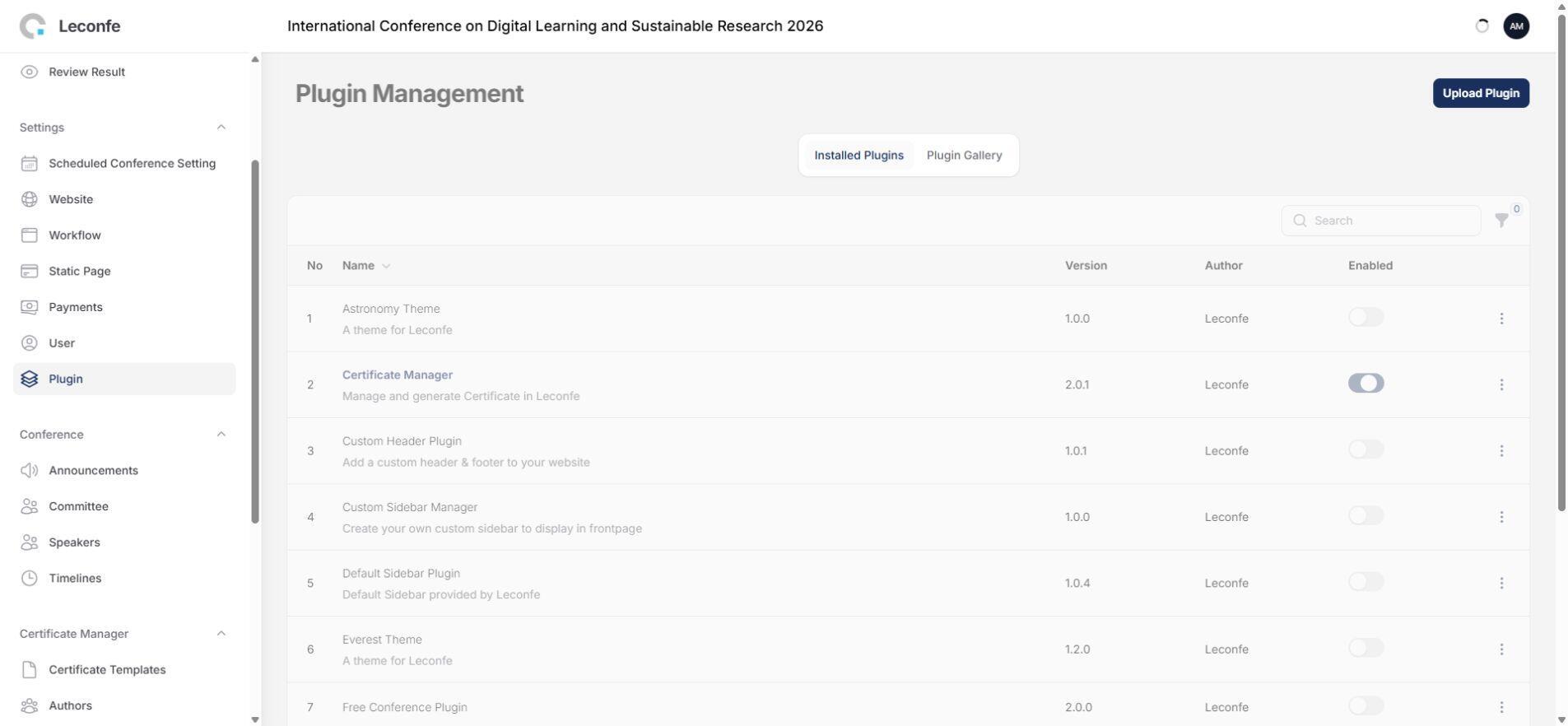
Find the right extension before installing another.
Start with your existing installation. A plugin can already be present without being active.
Inspect installed plugins
Open Installed Plugins. Search the list and check the version, author and enabled status before deciding what is missing.
Browse the gallery
Use Plugin Gallery to explore available extensions. Confirm that the plugin supports your Leconfe version and the workflow you want.
Enable and test
With the appropriate permissions, enable the extension and try its workflow as the person who will use it. Installation and activation are separate steps.
Example: your committee needs participant certificates.
Look for Certificate Manager in the installed list before uploading anything. Then verify the experience from both sides of the event.
Already installed?
Check its enabled status. If it is active, continue to the certificate workflow instead of installing a second copy.
Need to add a package?
Ask an authorized administrator to back up the installation and verify the package source and version compatibility before using Upload Plugin.
Ready for participants?
Generate one sample certificate using the intended template. Check the recipient’s name and verify the participant can access the issued file before generating the rest.