Run your academic conference in one place.

Build your conference website, collect papers, and coordinate peer review. Manage registrations and publish your proceedings from the same workspace.

Free Cloud plan: up to 50 submissions and 50 participants. Compare plans

  • “Our in-house conference platform was hard for organizers to navigate and lacked features they needed. Switching to Leconfe solved both problems for us.”

    Prof. Dessy HarisantyLPJPHKI, Universitas Airlangga
  • “We were delighted when the ICCL proceedings we published through Leconfe were accepted for indexing in GARUDA.”

    Yunika TrianaUIN Raden Mas Said Surakarta
  • “Our organizers find Leconfe’s features easy to use and its workflows easy to follow.”

    Prof. Thomas ZüchnerVeticon, Austria
  • “I came across Leconfe while looking for conference hosting. From what I’ve seen, it’s an excellent platform. With so many paid conference management platforms out there, I believe Leconfe could really take off in the next year or two.”

    Prof. Ir. Irza SukmanaUniversitas Lampung
  • “Setting up a new conference used to be a lot of work. We had to set up a domain for the conference website and use Google Forms to collect submissions. Leconfe makes it much easier by bringing everything together in one platform.”

    Yulda RahmanUniversitas Muhammadiyah Surakarta
  • “In 2023, we visited the OJT team and asked whether they could build a conference platform similar to OJS. To our surprise, the platform we had hoped for was released in 2024. We’ve now been using Leconfe for two years, and everything has been running smoothly.”

    Dr. A. A. Ngurah Gde SaptekaPoliteknik Negeri Bali
  • “One of our biggest challenges after a conference ended was keeping its website accessible. Older sites sometimes went offline because their domains weren’t renewed and each conference was managed separately. With Leconfe, all our conferences are in one place, and past editions are properly archived.”

    Muhammad JamilUniversitas Islam Indonesia
  • “I became interested in Leconfe when I learned it was being developed as an alternative to OCS. Since then, I’ve helped introduce the platform to universities in Malaysia.”

    Mohamad Zulhilmi Mohd NazarUniversiti Sains Islam Malaysia

Why choose Leconfe for your academic conference?

Give your committee one place to coordinate the conference, from the first call for papers to the final proceedings.

See the workflow
Keep papers, reviews, and decisions connected
Authors, reviewers, and editors each have a clear role. The committee can follow a paper from submission through review and publication.
Give each conference edition its own setup
Manage multiple editions on one platform with separate schedules, settings, and organizer roles. Keep past proceedings available as an archive.
Choose how your team hosts it
Use Cloud to have Leconfe host the platform, or run the open-source software on your institution’s infrastructure.

See how a conference runs in Leconfe

Follow a paper from submission to publication, or see how attendees register without submitting one.

Paper submission

Upload the required file

Authors attach their abstract or manuscript in the submission wizard.

The Upload Files button in Leconfe’s Submission Files panel.
  • Choose the file type required by the conference.
  • Check the attachment under Submission Files.
  • Review the submission before sending it.
Read the upload guide

Screen submissions and assign reviewers

Check incoming papers, assign an editor, and choose who reviews each paper.

Asterbridge’s Assign Reviewer dialog with Amara Foster selected and an anonymized abstract checked for review.
  • Check the Unassigned queue and assign an editor.
  • Choose reviewers and the files they may access.
  • Set response and review deadlines before sending invitations.
Read the reviewer assignment guide

Review the paper and share feedback

Reviewers record their assessment; editors can read the score and recommendation.

  • Work from the files shared for the review round.
  • Record review comments and a recommendation.
  • Editors can read the completed review before deciding.
Read the peer review guide

Revise the paper and record a decision

Authors revise when requested, and the editor decides what happens next.

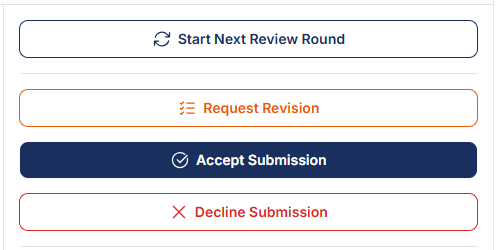
Leconfe’s editorial actions: Start Next Review Round, Request Revision, Accept Submission, and Decline Submission.
  • Authors upload a revised file when requested.
  • Editors can request a revision, accept, or decline the paper.
  • A reviewer’s recommendation is not the final editorial decision.
Read the editorial workflow guide

Publish the accepted paper

After editorial preparation, publish accepted work in the conference proceedings.

Asterbridge’s published proceedings volume showing its publication date, papers grouped by track, contributors, and PDF links.
  • Prepare paper details, contributors, and final files.
  • Assign the paper to a proceeding and track.
  • Readers can open the published paper and its citation.
Read the publication guide

Participant registration

Register without submitting a paper

Attendees can register for the conference directly from their Leconfe account.

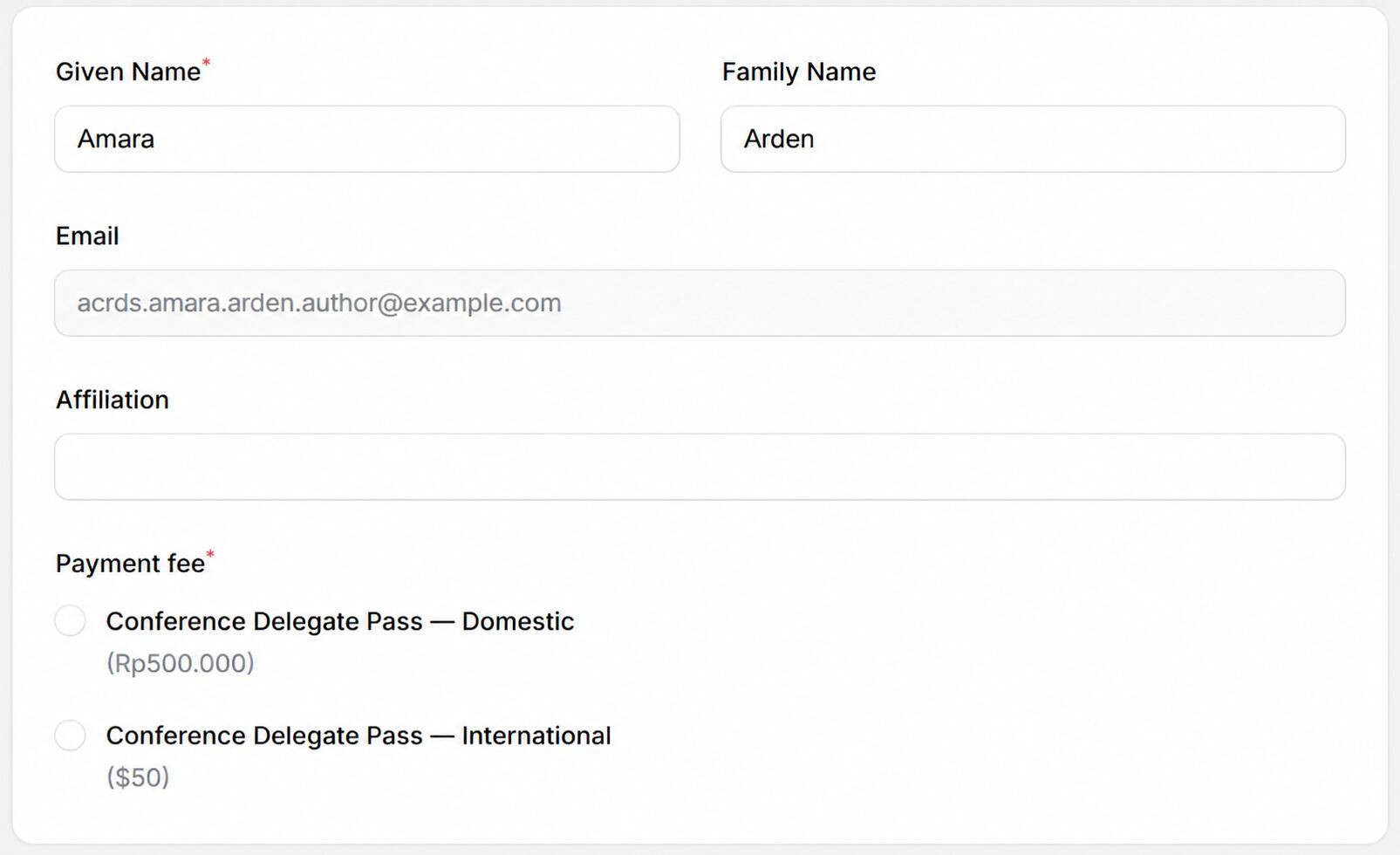
Leconfe’s participant registration form for Amara Arden with email acrds.amara.arden.author@example.com, showing affiliation and Domestic and International Conference Delegate Pass fee options.
  • Sign in and select Participant if asked to choose a role.
  • Open Participant Registration and enter the requested details.
  • Choose the fee category that applies to you, then save.
Read the registration guide

Check the fee and pay if required

After registering, open Participant Payment to see the fee and any balance due.

Leconfe’s complete Participant Payment view for Amara Arden, showing participant information, fee and total, invoice download, registration and payment dates, and payment method.
  • Review your fee category and any selected add-ons.
  • If payment is due, use a method offered by the organizer.
  • Return to Participant Payment to check its status.
Read the payment guide

Download your certificate

If the organizer issues a certificate through Leconfe, you can download it from your account once it is ready.

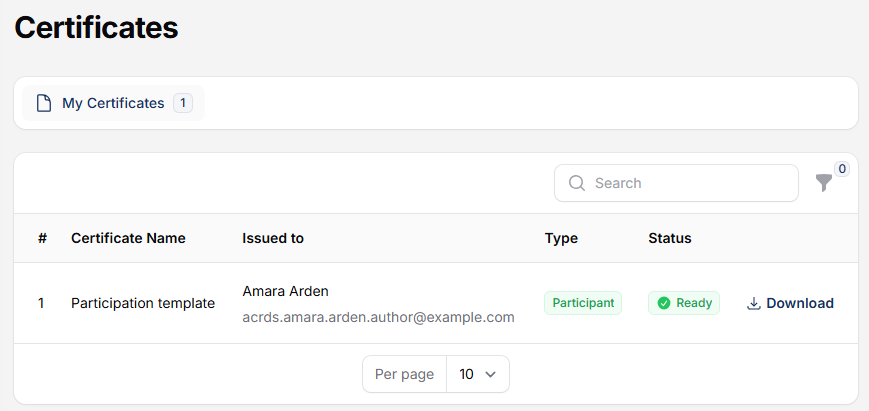
Leconfe’s Certificates page shows My Certificates and the complete participant certificate record for Amara Arden, with Ready status and a Download button.
  • Open Certificates in the conference dashboard.
  • Look for the certificate under My Certificates.
  • When the status is Ready, select Download.
Read the certificate guide

How ICCL made its proceedings easier to browse

The International Conference on Cultures & Languages at UIN Raden Mas Said Surakarta uses Leconfe to publish proceedings. Readers can browse volumes by year and open individual papers in the same archive.

Read the ICCL story
ICCL proceedingsSelected volumes
  • Vol. 4, No. 1
  • Vol. 3, No. 1
  • Vol. 2, No. 1
Browse the public archive

Complete conference management features

Tools for building the site, working with authors and reviewers, running the event, and publishing its research.

Website and program

  • Website builder: publish conference information, deadlines, and the call for papers.
  • Agenda: organize sessions, times, and speakers.
  • Committees: present your organizing and scientific teams.
  • Speakers and sponsors: share speaker profiles and recognize sponsoring organizations.
  • Multilingual support: prepare conference information and submission metadata in multiple languages.

Submissions and peer review

  • Abstract and paper submissions: collect files and author details in one place, with deadline and track settings.
  • Peer review: assign reviewers, set due dates, and use review forms.
  • Editorial decisions: track paper status and share decisions with authors.

Registration and event day

  • Registration and payments: manage registration options and track payment status.
  • On-site registration: add attendees during the event.
  • Attendance: keep track of who attended.
  • Certificates: generate certificates using your event’s template.

Publication and extensions

  • Proceedings and citations: publish volumes and individual papers with citation information.
  • Crossref integration: support DOI workflows for your publications.
  • Google Scholar: provide structured publication metadata to support discovery.
  • Plugin management: extend Leconfe with plugins suited to your conference.

Choose how to host your conference

Use Leconfe Cloud or run the open-source platform on your own infrastructure.

Leconfe Cloud

We host the platform for you. Start with the Free plan, or compare paid plans for more capacity and features.

  • Up to 50 submissions
  • Up to 50 participants

Self-hosted Leconfe

Install the open-source software on your own server. Your team manages the infrastructure, updates, and backups.

Read the installation guide

A few things to know before you start

Have questions about setup or what your committee needs?

Talk to the Leconfe team
What does the Free Cloud plan include?

The Free Cloud plan supports up to 50 submissions and 50 participants. Use the plan comparison to see what is available in each package.

Do we need our own server?

Leconfe hosts the platform when you choose Cloud. If your institution prefers to manage its own infrastructure, you can install the open-source software on your own server.

Do the limits apply to an existing conference?

Cloud conferences created before 17 August 2026 keep unlimited submissions and participants. The new plans apply to scheduled conferences created on or after that date. Read the announcement.

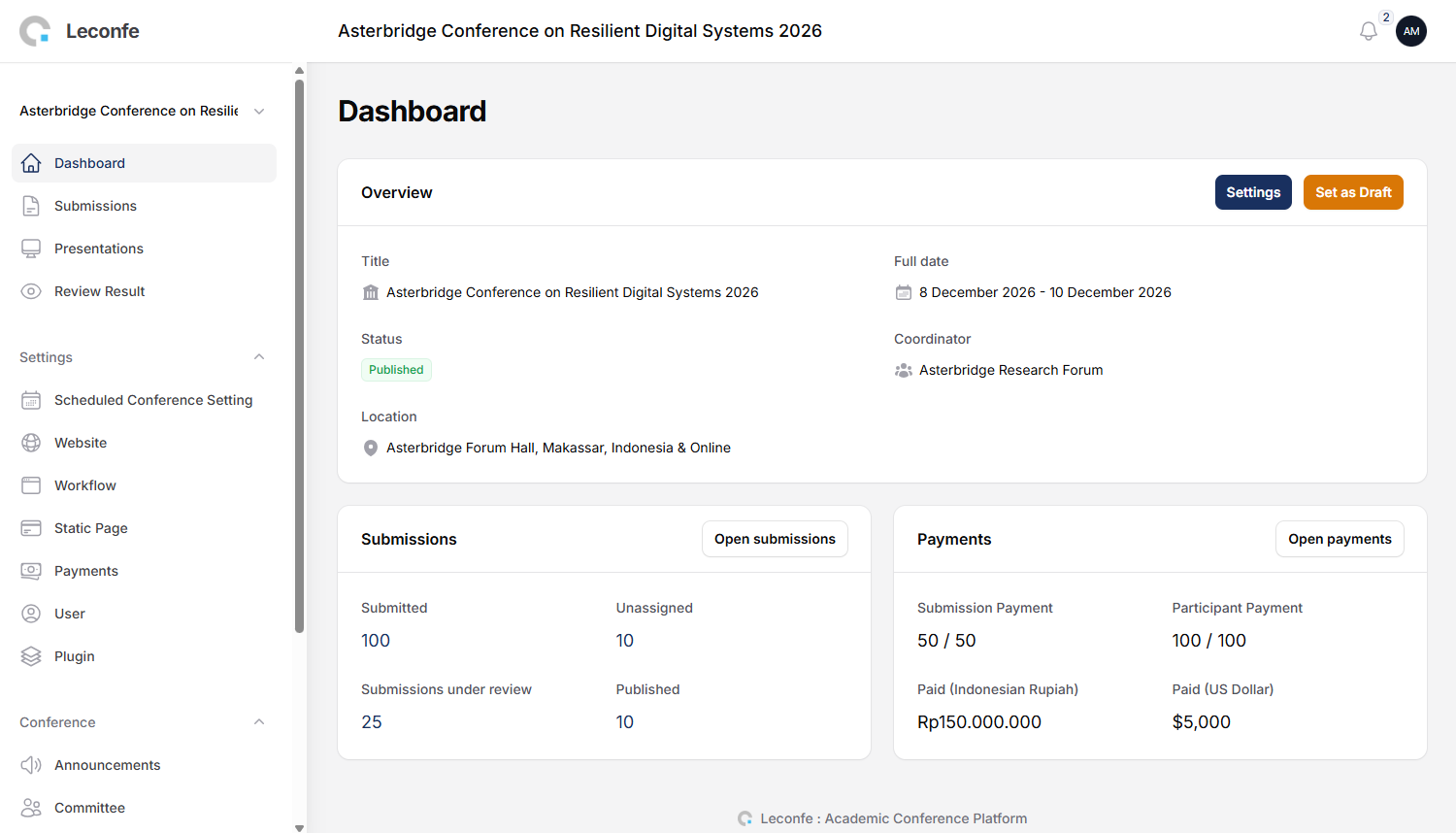
Can I see the workflow before signing up?

Yes. Explore the walkthrough on this page or read the full organizer’s guide.

Planning your next conference?

Tell us when submissions open and what your committee needs to set up.

Discuss your conference

Product screenshot

Scroll to Top