
Conference features / Presentations
Give every accepted paper a place to present.
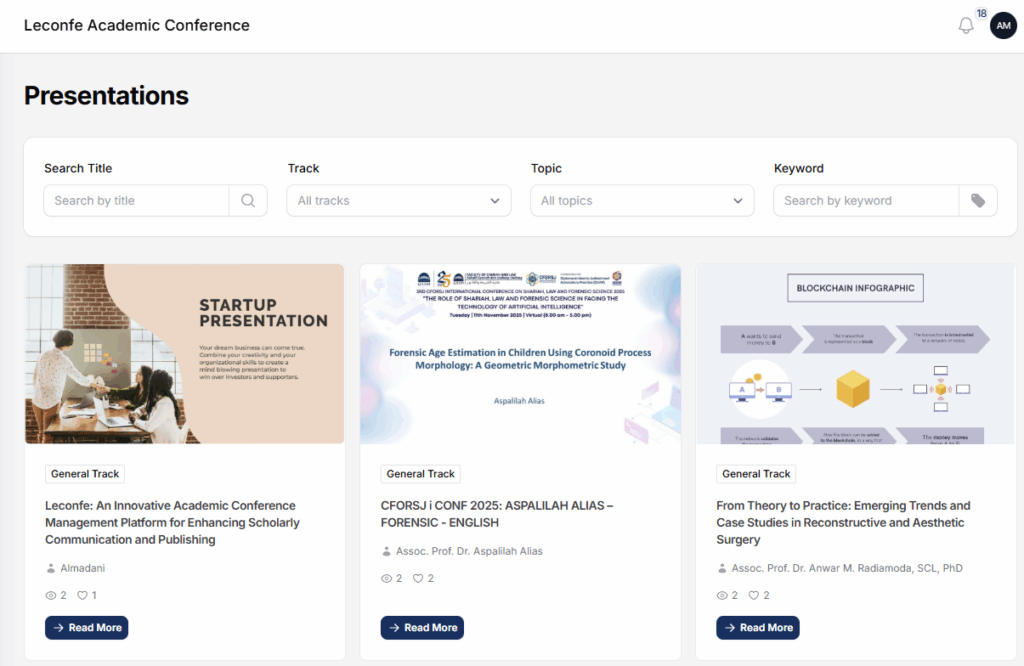
A participant remembers the paper but not the speaker’s slide link. In Leconfe, they can find the final presentation by title or track, open the material, and ask a question right there.
Which version should participants open?
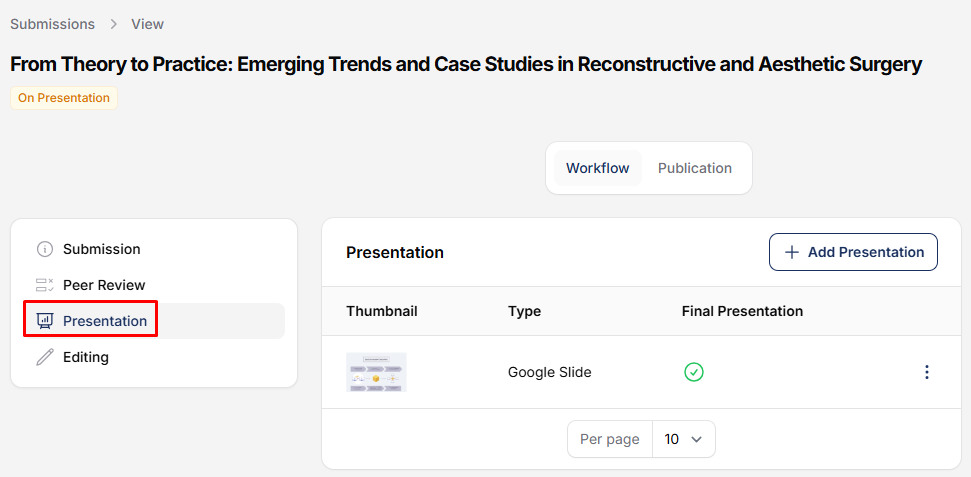
When a submission reaches the Presentation stage, add the deck or recording to the paper itself. If the slides change, add the replacement, preview it, and mark it as the final presentation. Participants see the selected version; the earlier record can stay with the submission.
A slide deck, a recorded talk, or a file to take away.
Google Slides
Embed a deck using its published-to-web link. A normal editing link is not an embed.
YouTube
Share a recorded talk that plays in the viewer. Use a public or unlisted video with embedding enabled.
Upload slides as a PDF so participants can read them directly in the presentation viewer.
Other files
Offer a PowerPoint or Keynote file for download when participants need the original. These formats do not have an inline preview.
Keep the question with the paper.
Suppose a figure on slide twelve needs an explanation. A signed-in participant can comment on that presentation, and the presenter can reply in the same discussion. The conversation stays attached to the work it refers to.
During the presentation window
- Search by title or keyword, narrow the list by track, or use topics when the conference has configured them.
- Open the final material, leave a like, ask a question, or reply to an existing comment.
- Leconfe records a participant’s view once per presentation record, rather than counting every repeat visit.
Set the window. Keep the editorial handoff clear.
The agenda tells attendees when a session takes place. Presentations is where they find the materials. Configure opening and closing dates in the conference timezone for eligible participants.
Does opening the window automatically list every paper?
No. The submission must reach the Presentation stage, and a presenter or authorized editor must add a record. The final record is the one participants see.
Are externally hosted slides and videos private?
The conference window controls access to the Leconfe listing. It does not change the sharing settings on Google Slides or YouTube. Check the host’s settings before sharing sensitive material.
What happens after the presentation?
Once the presentation requirements are complete, the editor can send the paper to Editing. Presenting a paper does not automatically publish it in the proceedings.