
The Reviewer role allows participants to register as reviewers for your conference. When this option is turned on, “Reviewer” appears as a role choice on the registration form. When turned off, participants will not see the Reviewer option and can only register as Authors or other available roles.
This is useful when you want to:
- Open reviewer recruitment during submission periods
- Close reviewer registration after your review team is full
- Control which roles are available at different phases of your conference
Here is how to turn the Reviewer role on or off:
1. Go to your scheduled conference page, then open the Website menu.
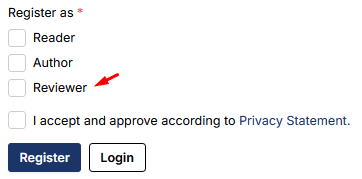
2. Click on the Setup menu.

3. Find the Reviewer Registration option under Registration Settings. Toggle it on to allow reviewer registration, or off to hide it.
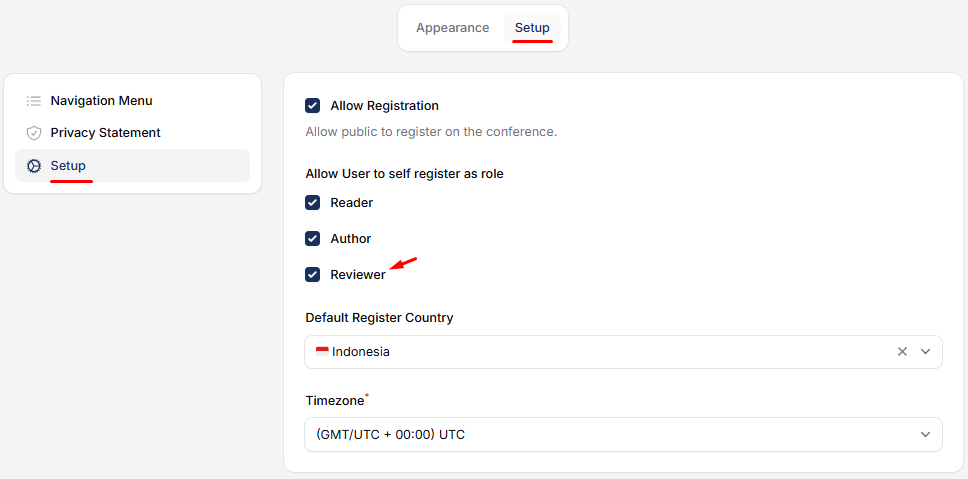
4. Save your changes. The Reviewer role will now appear or disappear from your registration form based on your setting.


