
What is Weighted Scoring?
Weighted scoring provides a fair and standardized way to evaluate paper submissions. Instead of treating all review criteria equally, you can assign different importance levels (weights) to each criterion. This ensures that more critical factors — such as originality — contribute more to the final score. The final score is automatically calculated based on each reviewer’s ratings and the weights you define, making comparisons across papers consistent and transparent.
Starting from Leconfe version 1.3.0, the Review Form feature is available, allowing you to create scoring-based items. Each item will be automatically calculated based on the configuration you define. Below is a guide on how to configure it:
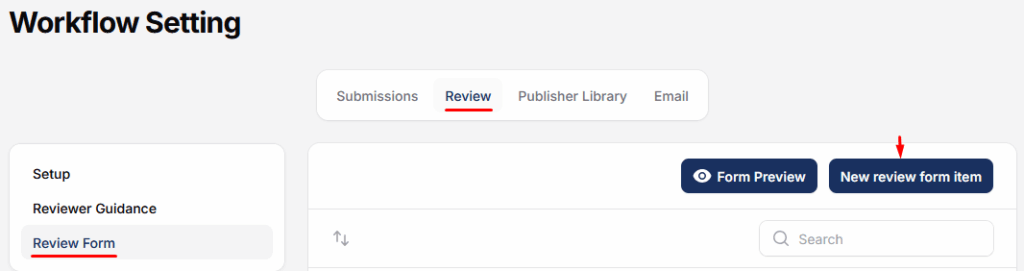
Example Reviewer Form Item
| No | Review Item | Score Range | Weight (%) | Description |
|---|---|---|---|---|
| 1 | Originality of the paper | 1-10 | 30% | Is the topic novel and original? |
| 2 | Relevance to the conference theme | 1-10 | 20% | Does the paper fit well within the conference? |
| 3 | Clarity and quality of writing | 1-10 | 20% | Is the paper clearly written and well-structured? |
| 4 | Methodology and analysis | 1-10 | 20% | Are the methods appropriate and well explained? |
| 5 | References and citations | 1-10 | 10% | Are the references current and properly cited? |
| Total | 100% |
How Weighted Scoring Works
– Score Range: Each review item can be rated on a scale from 1 to 10, where 10 is the highest score.
– Weight (%): Each item is assigned a weight to determine its contribution to the final score. Ensure the total weight of all items equals 100% so the final score calculation works correctly.
Understanding Score Range Types
The Score range type allows reviewers to assign values (typically from 1 to 10) based on the paper’s quality for each review item.
To simplify and standardize scoring, you can provide labels as reference guides for reviewers:
| Score Label | Suggested Score |
|---|---|
| Excellent | 10 |
| Good | 8 |
| Needs Improvement | 3 |
The labels act as a guideline, not a restriction.
Setting Up Weighted Scoring in Leconfe
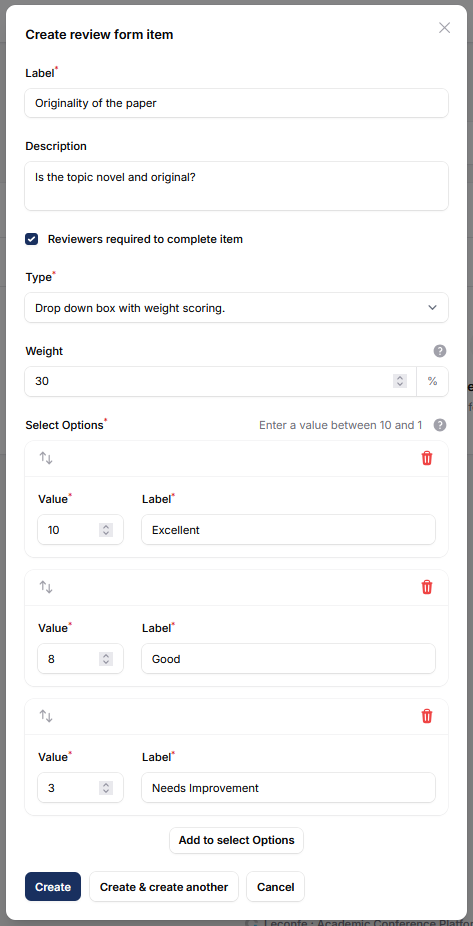
The image above shows how a single review item is configured in the reviewer form. For the remaining items, you can adjust them according to your preferred scoring setup.
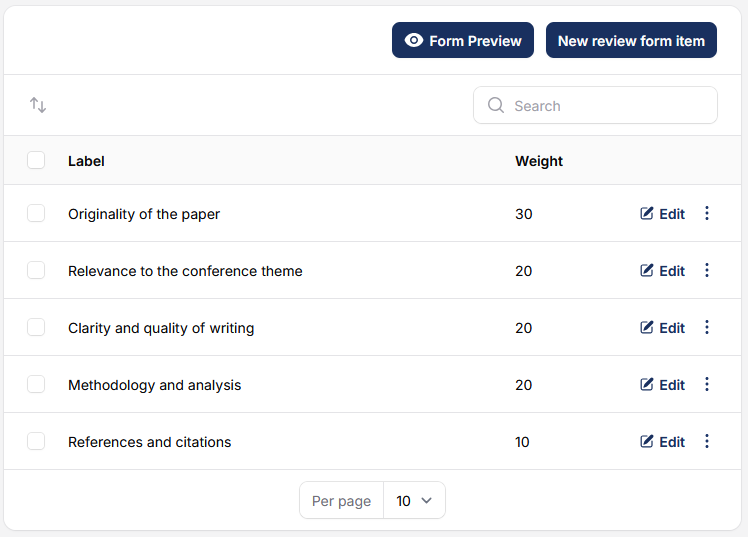
The image above shows the complete 5-item reviewer form as configured in the example data.


